Carrying Proof of License on Your Phone
There's nothing quite as frustrating as being out in the woods, enjoying the crisp Illinois air, when you suddenly realize you've left your hunting license pinned to yesterday's jacket or, worse, completely forgotten it at home. In an age where our phones are practically extensions of ourselves, carrying proof of your hunting license digitally seems like a no-brainer. This guide will walk you through everything you need to know about relying on your smartphone for license verification in Illinois, ensuring you're always legal and prepared.
The Evolution of Hunting Licenses: From Paper to Pixels
For decades, the physical hunting license was a rite of passage, a tangible piece of paper that proved you'd done your due diligence. But just like everything else, technology has reshaped this experience, bringing both unparalleled convenience and a few unique challenges.
The Traditional Challenge of Paper Licenses
Think back to the old days, or even just a few years ago. You’d pick up your license from a vendor, maybe a local sporting goods store or the county clerk. It was a flimsy piece of paper, easily crumpled, torn, or lost in the bottom of a hunting pack. You had to remember to transfer it from one jacket to another, or from your turkey vest to your deer pack. Losing it meant a trip back to the vendor, often a hassle and another small fee for a duplicate. And let's not forget the wear and tear – after a full season of rain, sweat, and brushing against thick cover, that paper permit often looked like it had been through a shredder. It was a constant low-level stressor for many hunters, always wondering if it was still tucked safely in the right pocket.
The Digital Shift and Modern Convenience
The move towards digital documentation really started to pick up steam as smartphones became ubiquitous. Suddenly, the possibility of carrying all your essential documents, including your hunting license, in your pocket seemed not just convenient, but revolutionary. Illinois, like many states, recognized this shift and began offering ways for hunters to access their permits and licenses electronically. This isn't just about convenience; it's also about efficiency for the Illinois Department of Natural Resources (IDNR) and a more streamlined experience for hunters. The digital age means fewer lost permits, easier access to information, and a more robust way to verify licenses in the field.
Illinois DNR's Stance on Digital Proof of License
So, what exactly does Illinois law say about carrying your hunting license on your phone? The good news is, the IDNR has embraced technology, making it easier for hunters to comply with regulations.
What the Law Says About Carrying Your License
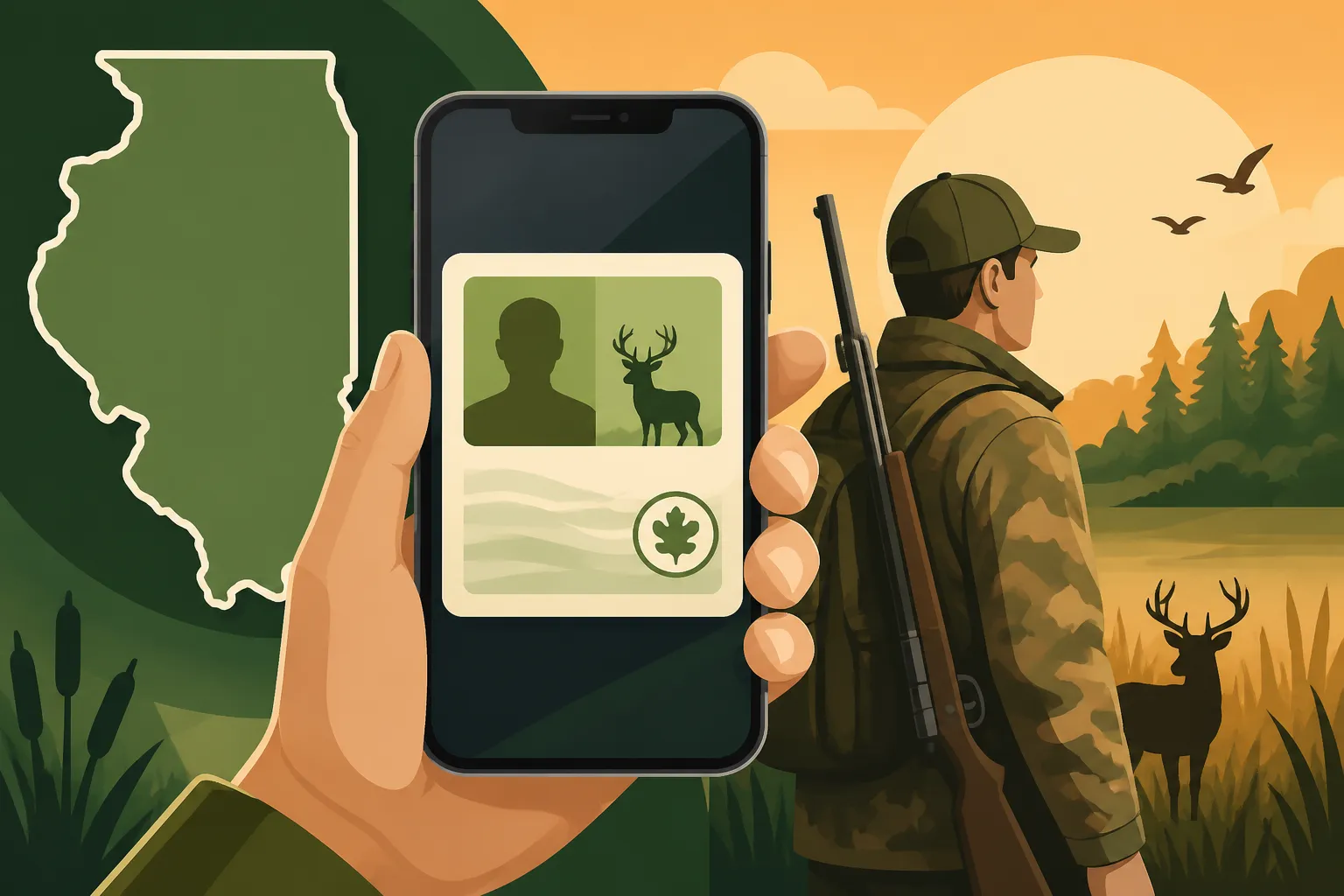
According to Illinois hunting regulations, hunters are required to "have on their person all necessary licenses, permits, and stamps when hunting." The key here is "on their person" and the IDNR has clarified that this includes a digital display on a smartphone or other electronic device. This is a huge relief for many hunters who prefer to minimize the amount of paper they carry into the field. You don't need to print out every single permit anymore, provided you can display it clearly to a conservation police officer (CPO) if asked. This flexibility acknowledges the reality of how most people manage their important documents today. It's a common-sense approach to modern hunting regulations.
Acceptable Digital Formats and Accessibility
When it comes to digital proof, clarity is king. A CPO needs to be able to verify your information quickly and efficiently. This typically means displaying a clear, legible image of your license, permit, or stamp. The most common and accepted methods include:
- PDF Documents: Many hunters receive their licenses as PDF files when they purchase them online through the Buying a License on Illinois's Online Portal. Saving these PDFs directly to your phone is an excellent way to keep them accessible.
- Screenshots: A simple screenshot of your license from the IDNR website or app is often sufficient. Just make sure the entire license is visible and readable.
- Dedicated Apps: While Illinois doesn't currently have one official, mandatory app solely for license display, some third-party apps or mapping platforms like GoHunt might offer features to store or integrate your license information. These can be incredibly handy for keeping all your hunting data in one place.
- Email Confirmation: While not always the primary method, an email confirmation with your license details visible can sometimes work in a pinch, though a clear PDF or screenshot is generally preferred.
The most important thing is that the information is clear, complete, and readily available for inspection, even in remote areas where cell service might be spotty. Remember, the CPO needs to confirm your identity and the validity of your permits, so any display method should facilitate this process without unnecessary delay.
Practical Considerations for Relying on Your Phone
While carrying your license digitally offers immense convenience, it also introduces a new set of challenges that traditional paper licenses didn't have. Being prepared for these eventualities is key to a smooth hunting experience.
Battery Life and Device Reliability Concerns
Let's face it, our phones are amazing, but they're not invincible, especially when you're out in the elements. Hunting often means early mornings, late evenings, cold temperatures, and long periods away from a charging source – all factors that can drain a phone battery surprisingly fast. Imagine a CPO asking for your license just as your phone decides to die. Not ideal, right?
Cold weather, in particular, can drastically reduce battery performance. Furthermore, while modern smartphones are pretty robust, they're still delicate electronic devices. A drop on a rocky trail, an unexpected dunk in a creek, or even heavy rain could render your device unusable. You're not just risking losing access to your license; you're risking a broken phone and all the other issues that come with it. Always consider how long you'll be out and what conditions you'll face.
Signal Strength and Offline Access Solutions
Illinois offers a vast landscape for hunters, from dense timber in the Shawnee National Forest to sprawling farmland. Many of the best hunting spots are, predictably, in areas with little to no cell service. If your digital license is stored only in the cloud or requires an active internet connection to access, you could find yourself in a bind.
This is where proactive preparation becomes crucial. Always download your permits and licenses directly to your device. Save them as PDFs or take screenshots. Make sure they're easily accessible in a folder on your phone, even when you're completely offline. Think of it like pre-downloading maps for areas where you know signal will drop – it’s just good practice for any outdoor activity where connectivity is uncertain. Many hunters also use apps like GoHunt that allow for offline map access and the ability to store various hunting documents, which can be a lifesaver when you're deep in a river bottom or miles from the nearest cell tower.
Protecting Your Digital Documents and Personal Information
Just as you wouldn't want to lose your wallet, you certainly don't want your phone – and the sensitive information it contains – to fall into the wrong hands. Your hunting license includes personal details like your name, address, and IDNR customer number.
Ensure your phone has a strong passcode or biometric security (fingerprint/face ID). If your phone is lost or stolen, these measures provide a layer of protection against unauthorized access to your personal data. Additionally, avoid sharing screenshots or digital copies of your license with others unless absolutely necessary. Be mindful of public Wi-Fi networks when accessing or downloading sensitive documents. While the convenience of digital licenses is undeniable, the responsibility of safeguarding your information remains paramount.
How to Best Prepare for a Digital License Check in Illinois
Being prepared for a CPO inspection means more than just having your license on your phone. It means having a plan for every contingency.
Taking Screenshots and Saving PDFs
This is your first line of defense against technological hiccups. As soon as you purchase your Illinois Hunting Licenses and What They Cost through the Illinois Resident License Options or Illinois Nonresident License Options portal, download the PDF copy to your phone and save it in a dedicated folder. Then, take clear screenshots of each individual permit and stamp – your deer permit, turkey tag, habitat stamp, and migratory bird certification, for example. Make sure each image is sharp and legible.
Create a specific album in your phone's photo gallery titled "Hunting Licenses" or something similar. This way, if a CPO asks for your documentation, you're not fumbling through hundreds of pictures of your dog or recent scouting trips. You can quickly pull up exactly what they need to see. This simple step can save you a lot of stress and potential issues in the field, especially if you're in an area with poor cell service or your phone battery is getting low.
Using Dedicated Apps for Hunting Information
While the IDNR doesn't currently have a specific app just for licenses, many third-party hunting apps offer features that can make managing your digital documents easier. For example, some advanced mapping apps allow you to store notes and documents associated with specific hunt locations. While not an official IDNR solution, a platform like GoHunt provides comprehensive mapping and data, and some users find it convenient to store their license screenshots or PDFs within such apps if they offer secure document storage features.
These apps can also be invaluable for other aspects of your hunt, such as reviewing Illinois Deer Season Structure Explained or locating public land. Integrating your license proof into a tool you're already using for navigation and scouting can streamline your field experience significantly. Just be sure that any app you use provides reliable offline access to your stored documents.
Having a Backup Plan Beyond Your Phone
No matter how well you prepare, technology can fail. A dropped phone, a sudden downpour, or an unexpected battery drain can leave you in a tough spot. This is why a backup plan is not just recommended, it's essential.
Consider printing out a physical copy of your most critical licenses and permits – like your main hunting license, deer permit, and The Illinois State Habitat Stamp – and keeping them laminated in your vehicle or a waterproof bag in your pack. This doesn't mean you need to carry everything in paper, but having the essentials ensures you can always produce proof if your phone fails.
Another often-overlooked backup is simply memorizing your IDNR customer ID number. While you still need to show the license, knowing this number can sometimes help a CPO quickly verify your status through their system if a rare, legitimate issue prevents you from displaying your digital copy. It's about being overly prepared rather than caught off guard, minimizing any potential issues with Illinois Wildlife Violation Penalties.
Specific Scenarios and What to Expect from Wardens
Understanding how conservation police officers (CPOs) operate and what they expect is crucial when relying on digital proof of license.
Routine Checks in the Field
When a CPO approaches you in the field for a routine check, their primary goal is to verify that you are legally hunting. This includes ensuring you have the proper licenses, permits, and stamps for the game you are pursuing, and that you've met requirements like Illinois Hunter Education Requirements if applicable. When they ask for your license, simply unlock your phone and display the digital copy clearly.
Be polite and cooperative. Have your license ready to go, don't make the officer wait while you scroll through apps or try to remember where you saved it. A clear, readable display is key. They'll likely look for your name, IDNR customer number, the type of license/permit, and the validity dates. Showing courtesy and efficiency during these checks reflects positively on you and the hunting community as a whole. Remember, these officers are out there to protect our resources and ensure fair chase.
Dealing with No Signal or Dead Battery Situations
This is where your backup plans really shine. If you're deep in the timber and your phone has no signal, your downloaded PDFs and screenshots will be your saving grace. A CPO understands that cell service is unreliable in many prime hunting locations. As long as you can still display the digital copy from your phone's local storage, you should be fine.
However, if your battery dies, or your phone is damaged and completely inoperable, that's when you'll need your physical backup. If you absolutely have no way to produce proof of license, and no physical backup, a CPO may issue you a warning or, in more severe cases, a citation. This is why the comprehensive approach – digital primary, physical backup – is always the safest bet. It's important to explain the situation calmly and truthfully. Officers appreciate honesty and preparedness.
The Importance of Cooperation and Courtesy
Regardless of how you carry your license, your interaction with a CPO should always be respectful and cooperative. These officers are performing their duties to ensure compliance and uphold conservation laws. If there’s a technical glitch with your phone, explain it clearly and offer alternatives, like showing a physical backup.
Never argue or become defensive. If a CPO needs to take down your information to verify a license issue later, cooperate fully. A positive interaction can often defuse a potentially complicated situation. Your attitude and willingness to comply go a long way in how any potential issues might be handled. It's a small community in the Illinois outdoors, and fostering good relationships with wildlife professionals benefits everyone.
Advantages and Disadvantages of Digital License Proof
Like two sides of a coin, digital licenses offer both incredible benefits and a few drawbacks you need to be aware of.
The Upsides of Going Paperless
The primary advantage of digital proof is undoubtedly convenience. You're likely already carrying your phone, so adding your license to it means one less thing to remember. No more worrying about a crumpled paper license or leaving it in the wrong jacket pocket. If you need a duplicate, it's a simple download away, rather than a trip to a vendor.
Digital licenses are also often more durable in the face of weather; your phone might get wet, but the digital file inside won't become illegible. This means your proof is always pristine and easy to read. Furthermore, for hunters who are often checking their hunt information, scouting new areas using tools like Scouting With the Illinois DNR App, or looking up regulations, having all documentation accessible on one device streamlines the entire experience. It’s part of a larger trend toward digital efficiency that makes outdoor pursuits more accessible and manageable.
Potential Pitfalls and How to Mitigate Them
Despite the advantages, there are definite downsides. The biggest is reliability. Phone batteries die, devices break, and signals disappear. If your phone is your only proof, you're entirely dependent on it functioning perfectly. As discussed, mitigation involves carrying external battery packs, being mindful of cold weather, and keeping robust offline copies.
Another pitfall can be screen visibility in bright sunlight or for those with impaired vision. A CPO might struggle to read a license on a dim or glare-filled screen. Ensure your screen brightness is up and you can present it clearly. Lastly, there's the risk of losing your phone altogether, which not only means losing your license proof but also all your other personal data and communication tools. This is where a strong passcode and a "Find My Phone" feature become vital. While going paperless is a forward-thinking move, it requires a conscious effort to prepare for its unique challenges.
The Future of Illinois Hunting Documentation
The journey from paper to pixels is ongoing, and the way we interact with hunting documentation will likely continue to evolve.
Continuous Improvements and User Feedback
The IDNR, like other state agencies, is constantly evaluating and improving its systems. They rely on hunter feedback to identify pain points and enhance the user experience. As technology advances, we might see official IDNR apps emerge that securely store all your licenses, permits, and even allow for in-field reporting of harvests, similar to how you might Registering an Illinois Deer Online.
Imagine a single digital wallet for all your outdoor activities, where your hunting, fishing, and trapping licenses are all consolidated and instantly verifiable. These kinds of systems reduce administrative burden for the state and make life significantly easier for the user. As hunters, providing constructive feedback to the IDNR about digital license experiences helps shape these future developments for the better.
The Role of Technology in Conservation
Beyond just licenses, technology is playing an ever-increasing role in conservation efforts. Digital platforms allow for more accurate harvest reporting, better data collection on game populations, and more efficient communication between hunters and wildlife agencies. Tools that help you with Reading an Illinois Harvest Report are only going to get more sophisticated. GPS-enabled apps facilitate precise public land boundary identification, helping hunters stay legal and respect private property.
The integration of digital licenses is just one small piece of a much larger puzzle, demonstrating how modern tools can support responsible hunting practices and ensure the long-term health of Illinois's wildlife resources. From managing Illinois Deer Population Estimate to coordinating Illinois Waterfowl Migration Timing, technology helps the IDNR make informed decisions that benefit all of us who cherish the Illinois outdoors.
| Feature | Physical Paper License | Digital License on Phone |
|---|---|---|
| Durability | Prone to tearing, water damage, crumpling | Resilient to physical damage (unless phone breaks) |
| Accessibility | Requires remembering to transfer between gear | Always with you if you carry your phone |
| Legibility | Can fade or become worn out | Always clear and sharp, dependent on screen quality |
| Replacement | Trip to vendor, potential fee | Instant download if internet available |
| Backup Required | N/A, but easily lost | Essential: external battery, offline save, physical print |
| Offline Use | Always available | Only if saved locally (PDF/screenshot) |
| Battery Dependent | No | Yes |
| Security | Only as secure as your wallet/pocket | Dependent on phone security (passcode, biometrics) |
| Environmental Impact | Uses paper | Reduced paper usage |
Disclaimer
The information provided in this guide is for general informational purposes only and does not constitute legal advice. While efforts have been made to ensure accuracy, hunting regulations can change. It is the responsibility of each hunter to consult the most current Illinois Department of Natural Resources (IDNR) regulations and statutes before engaging in any hunting activities. Always prioritize safety and compliance with all applicable laws.